Is It Safe to Open a DLL File?
It can be safe to open a DLL file if you are only viewing or analyzing it as data. It is not the same as loading the DLL into a program, registering it, or executing code from it.
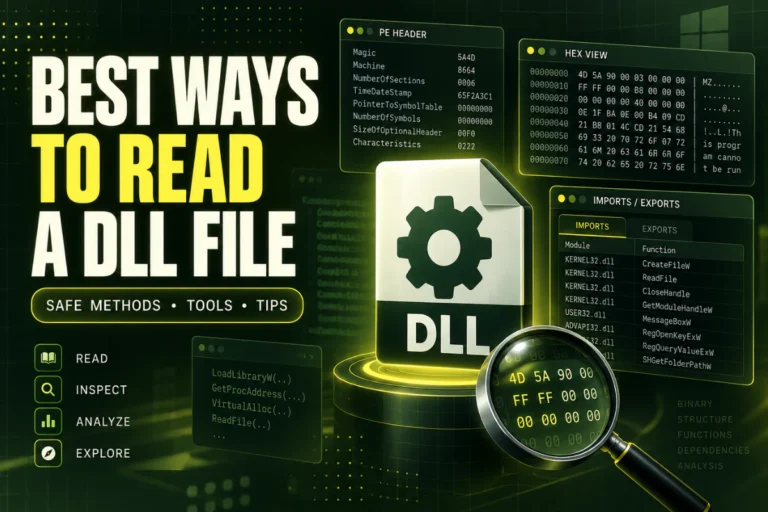
A DLL can contain executable code, so the safest approach with an unfamiliar file is static inspection. That means reading its headers, imports, exports, sections, hashes, version information, and other metadata without causing the DLL to run.
This guide answers “is it safe to open a DLL file?” by separating low-risk inspection from actions that can execute code.
Viewing a DLL with a static analyzer is generally safer than loading or registering it. Do not use regsvr32, copy an unknown DLL into system folders, or load it into an application just to inspect it.
On this page
“Open” Can Mean Different Things
The word “open” is ambiguous when talking about DLL files.
These actions are not equivalent:
| Action | Does DLL code normally execute? | Typical risk level |
|---|---|---|
| View with a static PE analyzer | No | Lower |
| Calculate SHA-256 | No | Lower |
| Open in a hex viewer | No | Lower |
| Register with regsvr32 | Can execute supported registration code | Higher |
| Load into an application | Yes, potentially | Higher |
The safest interpretation of “open a DLL” is to inspect it statically.
Why DLL Files Can Be Risky
A DLL is a Dynamic Link Library. It can contain machine code or managed code that another program loads and uses.
That means a DLL can:
- Run code inside a process
- Call Windows APIs
- Read or write files
- Access the network
- Modify application behavior
- Perform any other action allowed by the process and user permissions
Most DLL files are legitimate software components. The risk comes from treating an unknown DLL as trusted before you know what it is.
Viewing a DLL Is Different From Executing It
A static viewer reads the DLL as binary data.
For example, it can inspect:
Architecture
Imports
Exports
Sections
Version resources
SHA-256 hash
.NET metadata
Reading those structures does not require the DLL to be loaded as executable code.
For a detailed workflow, read How to Inspect a DLL Without Executing It.
Is It Safe to Use Notepad on a DLL?
Opening a DLL in a plain text editor does not normally execute DLL code.
However, DLL files are binary, so Notepad is not very useful. You may see random-looking characters and a few readable strings.
A PE viewer is better because it understands the file structure.
Is It Safe to Use a Hex Viewer?
A normal hex viewer reads raw bytes and displays them.
That is a static inspection method and does not require the DLL to run.
A hex viewer can be useful for low-level checks, but it is less convenient than a PE-aware viewer for headers, imports, exports, and sections.
Is It Safe to Use regsvr32?
Do not use regsvr32 just to see what a DLL contains.
regsvr32 is designed to register or unregister certain COM components. If the DLL supports the expected registration entry points, that process can execute code from the DLL.
regsvr32 is not a DLL viewer. Do not use it as a test for an unknown DLL.
Is It Safe to Double-Click a DLL?
Windows normally does not treat a DLL like a normal standalone application when you double-click it.
But relying on double-click behavior is not a useful or safe inspection method.
If your goal is to understand the file, use a static DLL or PE analyzer instead.
A Safer Way to Inspect an Unknown DLL
Use a step-by-step static process.
Use SHA-256 Before You Trust the Filename
Filenames can be copied or changed.
A SHA-256 hash identifies the exact bytes in the file.
This is useful if you want to compare the DLL with a known copy or a trusted vendor-published hash.
For instructions, read How to Find the SHA-256 Hash of a DLL File.
A Matching Hash Does Not Automatically Mean Safe
A hash tells you whether two files are identical.
It does not tell you whether the file is harmless.
If an official vendor publishes a hash and your DLL matches it, that can help confirm you have the same file the vendor distributed.
But a matching hash from an unknown website is not strong trust evidence.
Version Information Helps With Identification
A DLL may include fields such as:
ProductName
FileDescription
FileVersion
ProductVersion
OriginalFilename
These can help identify the file, but they can also be modified.
Treat them as clues, not proof.
See How to Check DLL Version Information.
Imports Can Show What the DLL Uses
Imports can reveal statically referenced libraries and functions.
You may see dependencies such as:
USER32.dll
ADVAPI32.dll
VCRUNTIME140.dll
Imports can give context, but common Windows APIs appear in both legitimate and harmful software.
Do not classify a DLL as safe or unsafe from one import alone.
Exports Can Help Explain the DLL’s Purpose
Exported function names can sometimes be descriptive.
For example:
ProcessBuffer
GetDeviceInfo
ShutdownAudio
These names suggest a purpose, but they do not prove the implementation is harmless.
What About Unusual PE Sections?
Section names and permissions can reveal structural clues.
Common names include:
.text.rdata.data.rsrc.reloc
Custom or unusual section names are possible in legitimate software too.
A strange section name, large section, or unusual permission combination may deserve more investigation, but it is not proof of malware.
Can a .NET DLL Be Dangerous?
Yes.
Managed code can perform powerful actions just like native code.
.NET metadata makes a DLL easier to inspect in many cases, but it does not make the file safe.
For managed detection, read How to Check If a DLL Is a .NET Assembly.
Can a Native DLL Be Dangerous?
Yes.
Native DLLs contain machine code and can perform actions allowed by the process that loads them.
Again, the technical format does not determine trust.
For the differences between native and managed files, read Native DLL vs .NET DLL: What Is the Difference?.
Do Not Copy an Unknown DLL Into System32
Copying a random DLL into a Windows system folder is not a safe troubleshooting method.
You can create:
- Version conflicts
- Architecture mismatches
- Application instability
- Security problems
If software reports a missing DLL, prefer repairing or reinstalling the application from its official source.
Do Not Download Random Replacement DLLs
A same-named DLL from an unrelated download website may be the wrong version, wrong architecture, or an entirely different file.
The safer approach is to obtain the DLL through the software vendor, official installer, repair process, or trusted package source.
What If the DLL Came From Email or a Download?
Treat unexpected binaries cautiously.
Before loading the file into any application:
- Record the source
- Calculate SHA-256
- Inspect it statically
- Check whether it belongs to expected software
- Use trusted security tools if safety is the main concern
Do not assume a familiar filename makes the file trustworthy.
What Static Analysis Cannot Tell You
Static analysis has limits.
A DLL may:
- Load other libraries dynamically
- Decrypt data at runtime
- Change behavior based on environment
- Use code that is packed or obfuscated
- Contact services only when certain conditions are met
That means static inspection is a strong first step, not a complete security verdict.
A Simple Risk Guide
| Action | Recommended for unknown DLL? |
|---|---|
| Calculate hash | Yes |
| View PE headers | Yes |
| Inspect imports and exports | Yes |
| Register with regsvr32 | No, not for inspection |
| Load into an app to test | Not as a first step |
| Copy into a Windows system folder | No |
Frequently Asked Questions
Is it safe to open a DLL file?
It is generally safer to inspect a DLL statically than to load or register it. The risk depends on what you mean by “open.”
Can viewing a DLL execute it?
A normal static viewer reads the file as data and does not need to execute DLL code.
Can regsvr32 execute DLL code?
Yes. Supported registration entry points can run during registration or unregistration.
Is a DLL safe if its version information looks normal?
No. Version metadata is useful for identification but is not proof of safety.
Is a DLL safe if its SHA-256 matches another copy?
That proves the files match each other. Safety depends on whether the reference copy is trusted.
What is the safest first step with an unknown DLL?
Inspect it statically. Check its hash, architecture, PE structure, imports, exports, sections, version data, and .NET status.
So, Is It Safe to Open a DLL File?
Yes, if “open” means static inspection with a tool that reads the DLL as data.
Be more cautious if “open” means loading, registering, or executing the DLL.
For an unknown file, start with hashes and PE metadata. Learn what the DLL is before allowing any of its code to run.
Inspect a DLL without running it
View architecture, PE format, imports, exports, sections, SHA-256, and basic .NET indicators through static analysis.
Open DLL Safely