Native DLL vs .NET DLL: What Is the Difference?
A Windows DLL can be native, managed by .NET, or in some cases a mixed-mode combination of both. The file extension may be the same, but the code inside, the runtime requirements, and the best analysis tools can be very different.
The simplest distinction is this: a native DLL usually contains machine code built directly for a processor architecture such as x86 or x64, while a .NET DLL usually contains managed metadata and Intermediate Language that the .NET runtime understands.
This guide compares native DLL vs .NET DLL in practical terms so you can identify the file type, understand how each is loaded, and choose the right tool for inspection.
Native DLLs usually contain processor-specific machine code. .NET DLLs usually contain CLR metadata and managed IL. Both can use the Windows PE format, so the .dll extension and PE32 label alone do not tell you which type you have.
On this page
Native DLL vs .NET DLL at a Glance
| Feature | Native DLL | .NET DLL |
|---|---|---|
| Typical code | Native machine instructions | Managed IL plus metadata |
| Runtime | Loaded by Windows and the native process | Uses the .NET runtime |
| Architecture | Usually processor-specific | Can be x86, x64, ARM, ARM64, or Any CPU depending on build settings |
| CLR metadata | Usually absent | Present |
| Best deep-analysis tool | Disassembler or native decompiler | .NET decompiler |
What Is a Native DLL?
A native DLL is compiled into machine code for a target processor architecture.
Common targets include:
- x86
- x64
- ARM
- ARM64
The processor can execute the compiled instructions after Windows maps the DLL into the process and resolves its dependencies.
Native DLLs are commonly created with languages and toolchains such as C, C++, Rust, or other systems languages that produce native code.
What Is a .NET DLL?
A .NET DLL is usually a managed assembly.
Instead of containing only processor-specific machine code, it normally contains:
- Intermediate Language
- Assembly metadata
- Type definitions
- Method definitions
- Assembly references
- Managed resources
The .NET runtime reads this information and prepares managed code for execution.
To detect managed metadata directly, read How to Check If a DLL Is a .NET Assembly.
Both Can Use the PE Format
This is one of the most important points.
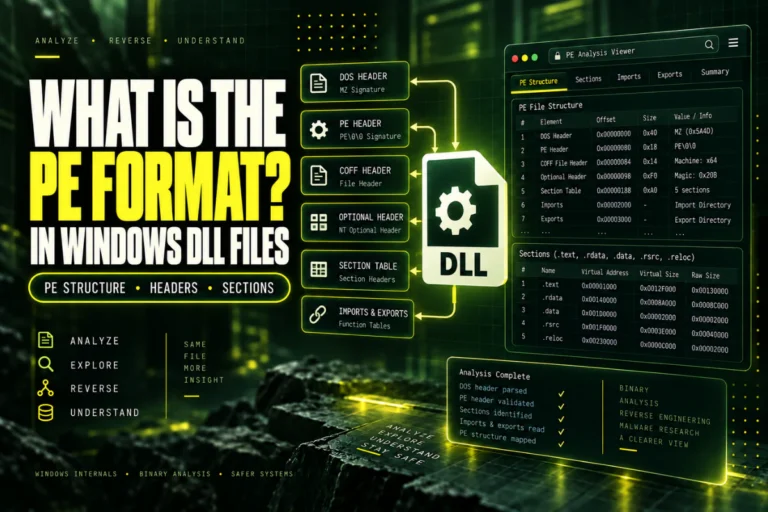
Native and .NET DLL files can both use the Windows Portable Executable format.
That means both can contain familiar PE structures such as:
PE Signature
COFF Header
Optional Header
Section Table
Data Directories
The difference is that a .NET assembly normally also contains CLR-specific information referenced by the COM Descriptor data directory.
For a broader explanation, read What Is the PE Format in Windows DLL Files?.
The CLR Metadata Difference
A managed .NET assembly normally has a CLR Runtime Header and metadata structures.
These can describe:
- Assembly identity
- Namespaces
- Classes
- Methods
- Fields
- Properties
- Referenced assemblies
A typical native DLL does not have this managed metadata layer.
That difference is why .NET decompilers can often show a structured view of classes and methods while native tools work much closer to machine code.
Code Format: Machine Code vs IL
A native DLL usually contains compiled machine instructions in an executable section such as .text.
A .NET DLL commonly contains IL, also known as Intermediate Language.
Architecture Behavior Is Different
Native DLLs are usually tied directly to a processor architecture.
An x86 process needs a compatible x86 native DLL. An x64 process needs a compatible x64 native DLL.
Managed assemblies can have more flexible platform settings.
A .NET DLL may be built for:
- x86
- x64
- Any CPU
- ARM
- ARM64
Any CPU adds another layer because the assembly may run under different process architectures depending on runtime and project settings.
PE32 Does Not Mean “Native”
A managed assembly can use PE32.
For example:
CLR metadata: present
Type: managed .NET assembly
PE32 and PE32+ describe the Optional Header format.
They do not directly answer whether code is managed or native.
See PE32 vs PE32+: What Is the Difference?.
Exports Work Differently
Traditional native DLLs often expose functions through the PE export table.
Example:
ProcessData
GetVersion
ShutdownPlugin
.NET assemblies do not normally expose every public managed method through the native export table.
A managed DLL can contain hundreds of public methods while showing few or no traditional native exports.
That is why export count is not a reliable managed-vs-native test.
Imports Also Need Context
A native DLL commonly lists dependencies in the PE import table.
A .NET DLL can also have native PE imports, but its managed dependencies are represented through assembly references in CLR metadata.
So there are two different dependency concepts:
Managed references → CLR assembly metadata
For native dependency analysis, read How to View DLL Imports and Dependencies.
Decompilation Is Usually Easier for .NET DLLs
Managed assemblies preserve rich metadata.
A .NET decompiler may reconstruct something close to:
{
public class Processor
{
public int Process(int value) { … }
}
}
Native decompilation has less high-level metadata available and usually requires more reconstruction from machine instructions.
Neither method guarantees the original source code, comments, formatting, or local variable names.
Debug Symbols Are a Separate Issue
Debug symbols can make analysis easier for both native and managed code, but they are not the same thing as the DLL itself.
A native DLL with matching symbols may reveal function names and source mappings.
A managed assembly already preserves more metadata in the DLL, even without separate debug symbols.
Versioning Can Also Differ
Windows version resources and .NET assembly versions are separate concepts.
A managed DLL can contain:
FileVersion: 3.4.18.0
ProductVersion: 3.4.18
AssemblyVersion is part of managed identity.
FileVersion and ProductVersion are Windows version-resource values.
For those fields, read How to Check DLL Version Information.
Native DLLs Usually Need Exact Bitness Matching
For native code loaded into the same process, architecture must match.
| Process | Native DLL | Direct load |
|---|---|---|
| x86 | x86 | Compatible |
| x86 | x64 | Not compatible |
| x64 | x64 | Compatible |
Managed code can have more flexible platform targeting, but native components used by the assembly still need compatible architectures.
What Is a Mixed-Mode DLL?
A mixed-mode DLL contains both managed and native components.
This can happen with technologies that bridge C++ and .NET.
In that case, the simple categories “native” and “managed” overlap.
A mixed-mode DLL can have CLR metadata while also containing native machine code that needs architecture-specific handling.
How to Tell Which Type You Have
Which Tool Should You Use?
| Goal | Native DLL | .NET DLL |
|---|---|---|
| Check PE structure | PE viewer | PE viewer |
| View API surface | Export viewer | .NET metadata browser |
| Understand code | Disassembler or native decompiler | .NET decompiler |
| Check dependencies | PE imports | Assembly references plus native imports |
Can Both Types Contain Resources?
Yes.
Native and managed DLL files can contain resources such as icons, strings, manifests, and version information.
The presence of a .rsrc section does not tell you whether the DLL is native or managed.
Can Both Types Be Malicious?
Yes.
Managed vs native is a technical classification, not a safety rating.
Either type can be legitimate or harmful.
Use file type detection to choose the right inspection method. Do not treat “native” or “.NET” as proof that a DLL is safe.
A Simple Decision Rule
├─ Yes → managed .NET or mixed-mode is likely
└─ No → native DLL is more likely
Then check architecture separately.
This is a much better test than guessing from the filename or PE32 label.
Frequently Asked Questions
What is the main difference between a native DLL and a .NET DLL?
A native DLL usually contains processor-specific machine code. A .NET DLL normally contains managed IL and CLR metadata.
Can both native and .NET DLLs use the PE format?
Yes. Both can be Windows Portable Executable files.
Does PE32 mean a DLL is native?
No. Managed .NET assemblies can also use PE32.
Can a .NET DLL be x64?
Yes. Managed assemblies can target x64 and other architectures.
Can a DLL contain both native and managed code?
Yes. Mixed-mode DLLs can contain both.
Which type is easier to decompile?
.NET DLLs are often easier to reconstruct into readable high-level code because managed metadata preserves more structure.
Native DLL vs .NET DLL: The Practical Difference
If a DLL has CLR metadata, treat it as a managed or mixed-mode assembly and use .NET-aware tools.
If it has no CLR metadata and contains native machine code for a specific architecture, use native PE and disassembly tools.
Both file types can look similar at the PE level, so inspect the underlying metadata before deciding which analysis path to use.
Check whether your DLL is native or .NET
Inspect PE format, architecture, sections, imports, exports, hashes, and basic .NET indicators without running the file.
Analyze DLL Type