Can a DLL File Contain a Virus?
Yes. A DLL file can contain malicious code, just like an EXE or other executable Windows binary. A DLL is not automatically dangerous, but it can be used by legitimate software or by malware.
Technically, people often say “virus” when they mean malware in general. A malicious DLL may act as part of a trojan, spyware tool, downloader, ransomware component, credential stealer, or another unwanted program.
This guide explains whether a DLL file can contain a virus, how malicious DLLs can be loaded, what warning signs you can inspect, and how to check an unknown DLL without running it.
A DLL can contain executable code and can be malicious. The safest first step is static inspection: check its SHA-256 hash, architecture, imports, exports, sections, version information, and .NET metadata without executing or registering the DLL.
On this page
A DLL Is Executable Code, Not Just Data
DLL stands for Dynamic Link Library.
Windows programs load DLLs so they can reuse code and resources.
A DLL can contain:
- Native machine code
- Managed .NET code
- Resources
- Strings
- Configuration-related data
- Imported APIs
- Exported functions
Because DLLs can contain executable code, a malicious DLL can perform actions when a program loads it.
Does Every DLL Contain a Virus?
No.
Most DLL files are normal software components.
Windows itself uses thousands of DLLs. Applications, games, drivers, development tools, browsers, and many other programs also rely on them.
The file type alone does not tell you whether a DLL is safe or harmful.
| DLL characteristic | Does it prove malware? |
|---|---|
| Has executable code | No |
| Has imports | No |
| Has unusual sections | No, but it may deserve investigation |
| Has no version info | No |
| Detected by trusted security tools | Strong evidence that should be investigated |
How Can a Malicious DLL Run?
A DLL normally needs another process or loader to execute its code.
Common ways a DLL may be loaded include:
- An application loading it normally
- A plugin system loading it
- A service or process loading it as a dependency
- A COM registration or activation path
- A vulnerable DLL search path choosing the wrong file
- Another malicious program loading it deliberately
The details vary, but the key point is simple: a DLL does not need to be a standalone EXE to execute code.
What Is DLL Side-Loading?
DLL side-loading is a technique where a legitimate program ends up loading a DLL placed where the program looks for a dependency.
If the application does not securely control which DLL gets loaded, an attacker may try to place a malicious library in a location the program searches.
This technique does not make every nearby DLL suspicious. It simply shows why DLL loading paths matter in Windows security.
What Is DLL Search Order Hijacking?
Windows applications may search several locations when resolving a DLL name.
If an application loads a DLL by name and an unintended location is searched before the correct one, a malicious file with the expected filename may be loaded.
Modern Windows and well-designed applications include protections and safer loading practices, but search-order issues can still matter in insecure software.
Can a Renamed DLL Still Be Malicious?
Yes.
Changing the filename does not change what the DLL contains.
A malicious file can use a harmless-looking name such as:
helper.dll
system.dll
plugin.dll
The filename is only one clue.
Use hashes and file metadata to identify the actual binary.
Check the SHA-256 Hash First
A SHA-256 hash is an exact fingerprint of the DLL’s bytes.
It is useful for:
- Comparing with a trusted copy
- Checking whether the file changed
- Recording exactly which DLL you analyzed
- Comparing against a vendor-published hash
For instructions, read How to Find the SHA-256 Hash of a DLL File.
A Hash Is Not a Safety Verdict
A hash tells you which exact file you have.
It does not tell you whether that file is safe.
A malicious DLL and a legitimate DLL can both have perfectly valid SHA-256 values.
What matters is whether the hash matches a trusted known-good reference or appears in reliable security intelligence.
Inspect the DLL Without Executing It
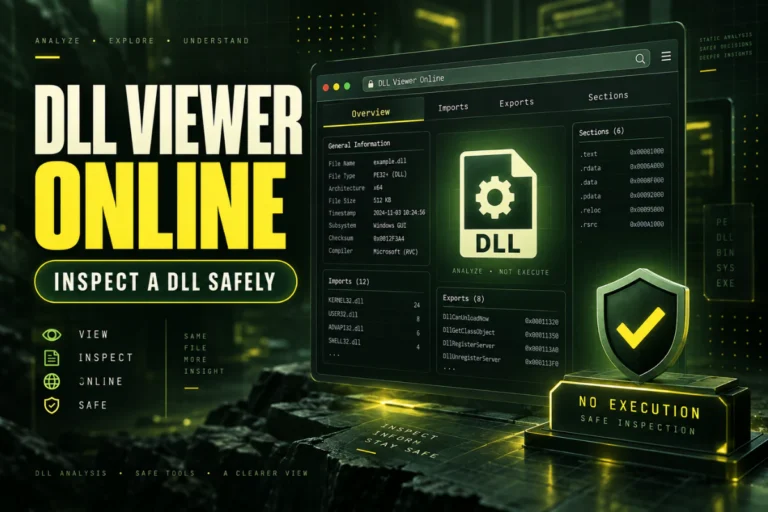
Static analysis is the safest first technical step.
You can inspect:
Architecture
SHA-256
Imports
Exports
Sections
Version information
.NET metadata
Our DLL analyzer is designed for this type of inspection without executing the DLL.
For the full workflow, read How to Inspect a DLL Without Executing It.
What Can Imports Tell You?
The import table shows statically referenced libraries and functions.
A DLL may import APIs related to:
- File access
- Registry access
- Networking
- Process creation
- Memory management
- Cryptography
- User-interface functions
These APIs are used by both normal and malicious programs.
For example, file access is necessary for legitimate software too.
Imports are context, not a verdict.
Can Exports Reveal Malware?
Exports can reveal the public functions a DLL exposes.
A malicious DLL may have suspicious-looking export names, generic names, ordinals only, or no meaningful exports at all.
But the same patterns can also appear in legitimate software.
Use exports to understand the interface, not to make a final safety decision.
What About PE Sections?
PE sections can reveal structural clues.
Common sections include:
| Section | Typical purpose |
|---|---|
.text |
Executable code |
.rdata |
Read-only data |
.data |
Writable data |
.rsrc |
Resources |
.reloc |
Relocation information |
Unusual section names, very high compression, or odd permissions can justify deeper inspection, but none of those details proves malware by itself.
Can Packed DLLs Be Suspicious?
Packing means code or data is transformed, compressed, or wrapped so that the stored file looks different from the original program logic.
Packers are used for both legitimate and malicious software.
A packed DLL may have unusual sections, unusual entry-point behavior, or little readable code until it is unpacked at runtime.
Packing is a signal to investigate, not automatic proof of malicious intent.
Can Version Information Be Faked?
Yes.
Fields such as CompanyName, ProductName, FileDescription, and FileVersion are metadata inside the file.
They can be changed.
A malicious DLL can display a familiar company name, and a legitimate DLL can have no version information at all.
For version details, read How to Check DLL Version Information.
Can a Digitally Signed DLL Be Malicious?
A valid digital signature can provide useful publisher and integrity information, but a signature is not an absolute guarantee that software is safe.
Certificates can be misused, software can contain vulnerabilities, and signed programs can still perform unwanted actions.
Signature status should be one part of a broader trust decision.
Can a .NET DLL Contain Malware?
Yes.
A .NET DLL can contain managed code capable of reading files, accessing the network, starting processes, or performing other actions permitted by the runtime and operating system.
.NET metadata often makes the file easier to inspect, but it does not make it harmless.
See How to Check If a DLL Is a .NET Assembly.
Can a Native DLL Contain Malware?
Yes.
A native DLL contains machine code and can perform actions allowed to the process that loads it.
Native binaries may require a disassembler or native decompiler for deep code analysis.
Warning Signs Worth Investigating
No single sign proves malware, but these are reasonable reasons to investigate further:
- The DLL came from an unexpected email or download
- The filename imitates a system component but is stored in an unusual location
- The hash does not match the trusted vendor copy
- The file appeared unexpectedly after a suspicious installer
- Trusted security software flags it
- The DLL is packed or heavily obfuscated without an obvious reason
- The file has unusual sections or inconsistent metadata
- The application loading it is also behaving suspiciously
Things That Are Not Proof of Malware
These details can look suspicious but are common in legitimate software too:
Some developers simply do not include it.
Compilers and protectors can create them.
Normal applications use networking too.
Commercial software may use it to protect code.
Do Not Register an Unknown DLL to Test It
regsvr32 is not a malware scanner or DLL viewer.
If a DLL supports the expected registration functions, registering it can execute code.
Do not use registration as a way to “see if the DLL works.”
Do Not Download Random Replacement DLLs
If Windows reports a missing DLL, avoid unrelated DLL download sites.
A same-named file may be:
- The wrong version
- The wrong architecture
- Built for another program
- Modified
- Malicious
Prefer the official application installer, repair feature, or software vendor.
A Safer Unknown-DLL Workflow
What Static Analysis Cannot Prove
Static analysis is valuable, but it has limits.
A DLL may:
- Load more code at runtime
- Decrypt strings or configuration later
- Contact a server only under certain conditions
- Behave differently on different machines
- Use dynamically resolved APIs
That is why static metadata alone cannot provide a complete malware verdict.
Frequently Asked Questions
Can a DLL file contain a virus?
Yes. A DLL can contain malicious executable code, although many DLLs are completely legitimate.
Can a DLL infect a computer by itself?
A DLL normally needs to be loaded or invoked by another process or mechanism before its code runs.
Is every unknown DLL dangerous?
No. Unknown simply means you have not identified it yet.
Can a .NET DLL be malware?
Yes. Managed code can perform harmful actions just like native code.
Can a valid digital signature prove a DLL is safe?
No. It provides useful trust and integrity information, but it is not an absolute safety guarantee.
What is the safest first step with a suspicious DLL?
Do not execute it. Calculate its hash and inspect its PE metadata statically first.
Can a DLL Contain Malware? The Practical Answer
Yes, but the DLL extension alone tells you almost nothing about safety.
Start by identifying the exact file with SHA-256. Then inspect its architecture, headers, imports, exports, sections, version data, and .NET status without executing it.
If the file is unexpected or suspicious, combine static analysis with trusted security tools and a known-good reference from the software vendor.
Inspect a DLL before you trust it
View architecture, PE format, imports, exports, sections, SHA-256, and basic .NET indicators without running the file.
Inspect DLL Safely