EXE vs DLL: What Is the Difference?
EXE and DLL files are both common Windows binary formats, and both often use the Portable Executable format. The main difference is how they are intended to be used.
An EXE is usually designed to start a program. A DLL is usually designed to be loaded by another process and provide reusable code, functions, resources, or services.
This guide explains EXE vs DLL in practical terms, including startup behavior, entry points, imports, exports, PE structure, and native vs .NET differences.
An EXE usually starts a program directly. A DLL is usually loaded by another program. Both can contain executable code, imports, resources, sections, and PE headers, but DLLs are commonly built to expose reusable functionality rather than act as standalone applications.
On this page
EXE vs DLL at a Glance
| Feature | EXE | DLL |
|---|---|---|
| Typical purpose | Start and run an application | Provide reusable code or resources |
| Usually launched directly? | Yes | No |
| Loaded into another process? | Not usually as a normal library | Yes |
| Can have imports? | Yes | Yes |
| Can have exports? | Possible, but less common | Common for native libraries |
| PE format? | Usually yes on Windows | Usually yes on Windows |
What Is an EXE File?
An EXE file is usually a Windows executable application.
Examples include:
- Desktop applications
- Command-line tools
- Installers
- Launchers
- Utilities
- Services with executable host files
When you launch an EXE, Windows creates a process and begins application startup.
What Is a DLL File?
DLL stands for Dynamic Link Library.
A DLL is usually loaded into an existing process so that code can be shared or reused.
A DLL may contain:
- Reusable functions
- Plugin logic
- Resources
- COM components
- Managed .NET classes
- Native machine code
For a broader introduction, read What Is a DLL File and What Does It Do?.
Both EXE and DLL Files Can Use the PE Format
On Windows, both EXE and DLL files commonly use the Portable Executable format.
That means both can contain structures such as:
PE signature
COFF header
Optional header
Section table
Import directory
Resource directory
The extension changes how the file is normally used, but much of the internal PE structure can look very similar.
See What Is the PE Format in Windows DLL Files?.
How Windows Knows a PE File Is a DLL
The PE COFF header includes a Characteristics field.
One flag indicates that the image is a DLL.
This helps distinguish a dynamic-link library image from a normal executable image at the PE level.
Entry Point Differences
Both EXE and DLL files can have a PE AddressOfEntryPoint field, but the role is different.
| File type | Typical entry-point role |
|---|---|
| EXE | Application startup code |
| DLL | Library initialization, often related to DllMain |
For DLL startup details, read What Is a DLL Entry Point?.
EXE Startup vs DLL Loading
A simplified EXE startup flow looks like this:
↓
Windows creates process
↓
Maps EXE and dependencies
↓
Resolves imports
↓
Runs startup code
↓
Application begins
A simplified DLL load flow looks like this:
↓
Windows maps DLL
↓
Resolves imports
↓
Performs initialization
↓
Process calls exported functions
Can a DLL Run by Itself?
Usually not in the same way as a normal EXE.
Double-clicking a DLL does not normally launch it as a standalone application.
A DLL normally needs a host process or loader.
That host might be:
- An application
- A plugin host
- A service
- A COM host
- The .NET runtime
- A testing or diagnostic tool
Can a DLL Contain Executable Code?
Yes.
A DLL can contain native machine code or managed .NET code.
The fact that it is not normally launched directly does not mean it is passive data.
This is why unknown DLLs should be inspected before they are loaded.
Imports in EXE and DLL Files
Both EXE and DLL files can import functions from other libraries.
For example, an EXE may import from:
USER32.dll
ADVAPI32.dll
A DLL can import from those same system libraries or from vendor-specific libraries.
Imports describe dependencies, regardless of whether the importing image is an EXE or DLL.
Exports in EXE and DLL Files
DLLs commonly expose exported functions.
Example:
ProcessData
GetVersion
ShutdownPlugin
EXE files can technically export symbols too, but that is less common in ordinary applications.
For the underlying structures, read What Are DLL Imports and Exports?.
Why DLLs Are Useful
DLLs let developers separate reusable functionality from the main application.
This can help with:
- Code reuse
- Plugin systems
- Shared runtime components
- Smaller application modules
- Independent updates to components
- Cleaner software architecture
Why EXEs Are Useful
EXE files provide the top-level application process.
They commonly handle:
- Program startup
- User interface
- Command-line input
- Application lifetime
- Loading required libraries
- Coordinating components
EXE and DLL Architecture Still Matters
Both EXE and DLL files can target x86, x64, ARM, or ARM64.
For native loading, the process and DLL architecture must be compatible.
x64 EXE process → x64 native DLL
For mismatch troubleshooting, read How to Fix 32-Bit and 64-Bit DLL Mismatch Errors.
EXE vs DLL in .NET
.NET makes the distinction slightly different at the managed-code level.
A .NET EXE usually contains an assembly with an application entry method and is intended to start a managed process.
A .NET DLL usually contains a class library intended to be referenced by another managed application.
| Managed file | Typical role |
|---|---|
| .NET EXE | Application assembly |
| .NET DLL | Class library assembly |
Both can contain IL, CLR metadata, assembly references, types, and resources.
Can You Rename an EXE to DLL?
You can change the filename extension, but that does not convert the internal PE image into a proper DLL.
The PE headers, loader flags, startup behavior, exports, and application design remain unchanged.
Likewise, renaming a DLL to .exe does not turn it into a normal standalone program.
Can an EXE Load a DLL?
Yes. This is one of the most common Windows software patterns.
An EXE may load DLLs:
- Automatically through its import table
- Dynamically at runtime
- As plugins
- Through COM
- Through a managed runtime
Can One DLL Load Another DLL?
Yes.
A DLL can import functions from another DLL or load another library dynamically.
That is why dependency chains can become several levels deep.
└─ plugin.dll
└─ runtime.dll
└─ system library
Do EXE and DLL Files Have the Same Sections?
They can.
Both may contain sections such as:
.text.rdata.data.rsrc.reloc
The section layout depends on the compiler, linker, and program design, not only on whether the file is an EXE or DLL.
See How to View DLL Sections Such as .text, .data and .rsrc.
Do EXE and DLL Files Have Version Information?
Both can contain Windows version resources.
Fields may include:
- FileVersion
- ProductVersion
- CompanyName
- ProductName
- OriginalFilename
But version resources are optional and can be missing.
Dynamic Linking vs Static Linking
DLLs are closely associated with dynamic linking.
With dynamic linking, reusable code remains in a separate library file and is connected to the application when the program loads or while it is running.
With static linking, library code is copied into the EXE or another binary during the build process.
| Linking method | Where library code lives | Separate DLL required? |
|---|---|---|
| Dynamic linking | Separate DLL or runtime module | Usually yes |
| Static linking | Compiled into the final binary | No for that library code |
This helps explain why one EXE may need many DLLs beside it while another executable appears more self-contained.
The File Extension Is Only Part of the Story
Windows commonly uses .exe for applications and .dll for libraries, but reliable analysis should inspect the PE headers instead of trusting the extension alone.
A renamed file keeps its original internal structure. Changing tool.exe to tool.dll does not set the DLL flag, rebuild the entry point, create an export table, or redesign the program as a library.
This is why PE inspection is useful when you are identifying an unknown or incorrectly named binary.
Security: EXE vs DLL
Both EXE and DLL files can contain harmful code.
An EXE commonly runs when launched. A malicious DLL normally needs to be loaded by a process or invoked through another mechanism.
The file extension alone is not a safety verdict.
For DLL-specific security, read Can a DLL File Contain a Virus?.
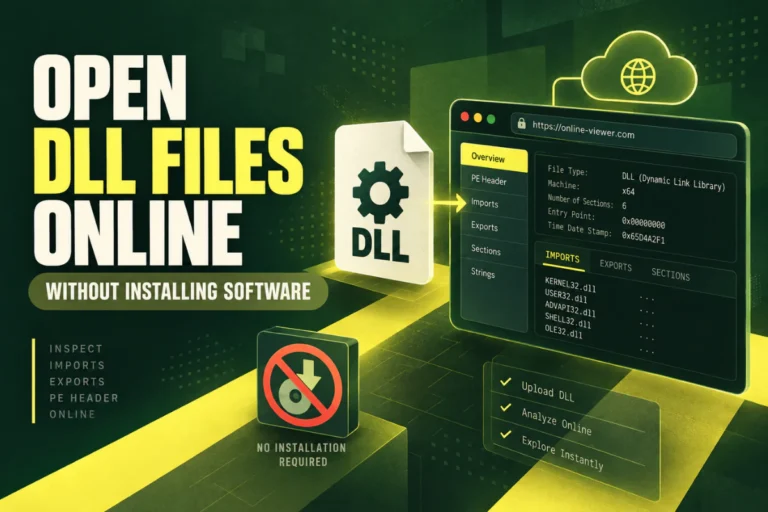
How to Inspect an EXE or DLL Without Running It
Static PE analysis can reveal many details without execution.
You can inspect:
Machine architecture
Sections
Imports
Exports
Resources
Version information
SHA-256
CLR/.NET metadata
This is useful for identifying what a binary is before running or loading it.
Frequently Asked Questions
What is the main difference between an EXE and a DLL?
An EXE usually starts an application. A DLL usually provides code or resources to another process.
Can a DLL run by itself?
Usually not like a normal EXE. It normally needs a host process or loader.
Can an EXE have exports?
Yes, though exports are more commonly associated with native DLLs.
Can both EXE and DLL files use the PE format?
Yes. Most Windows native EXE and DLL files use the Portable Executable format.
Can renaming an EXE to DLL convert it?
No. Changing the extension does not change the internal PE structure or intended loading model.
Can both EXE and DLL files be malicious?
Yes. Both can contain executable code, so trust depends on the file’s source, integrity, and behavior.
The Key Difference Between EXE and DLL Files
Think of an EXE as the program that starts the process and a DLL as a component that the process can load.
Both can share the same PE foundation, but their roles are different. EXEs usually provide application startup, while DLLs usually provide reusable functionality.
When analyzing either file type, inspect the PE headers, architecture, imports, exports, sections, hashes, and managed metadata rather than relying only on the extension.
Inspect a Windows DLL without running it
View PE format, architecture, imports, exports, sections, SHA-256, and basic .NET indicators through static analysis.
Inspect DLL FileFurther reading
Related guides: